A closer look at Boopity.
Manage your schedule, care details, and payments. Give clients a place to book.
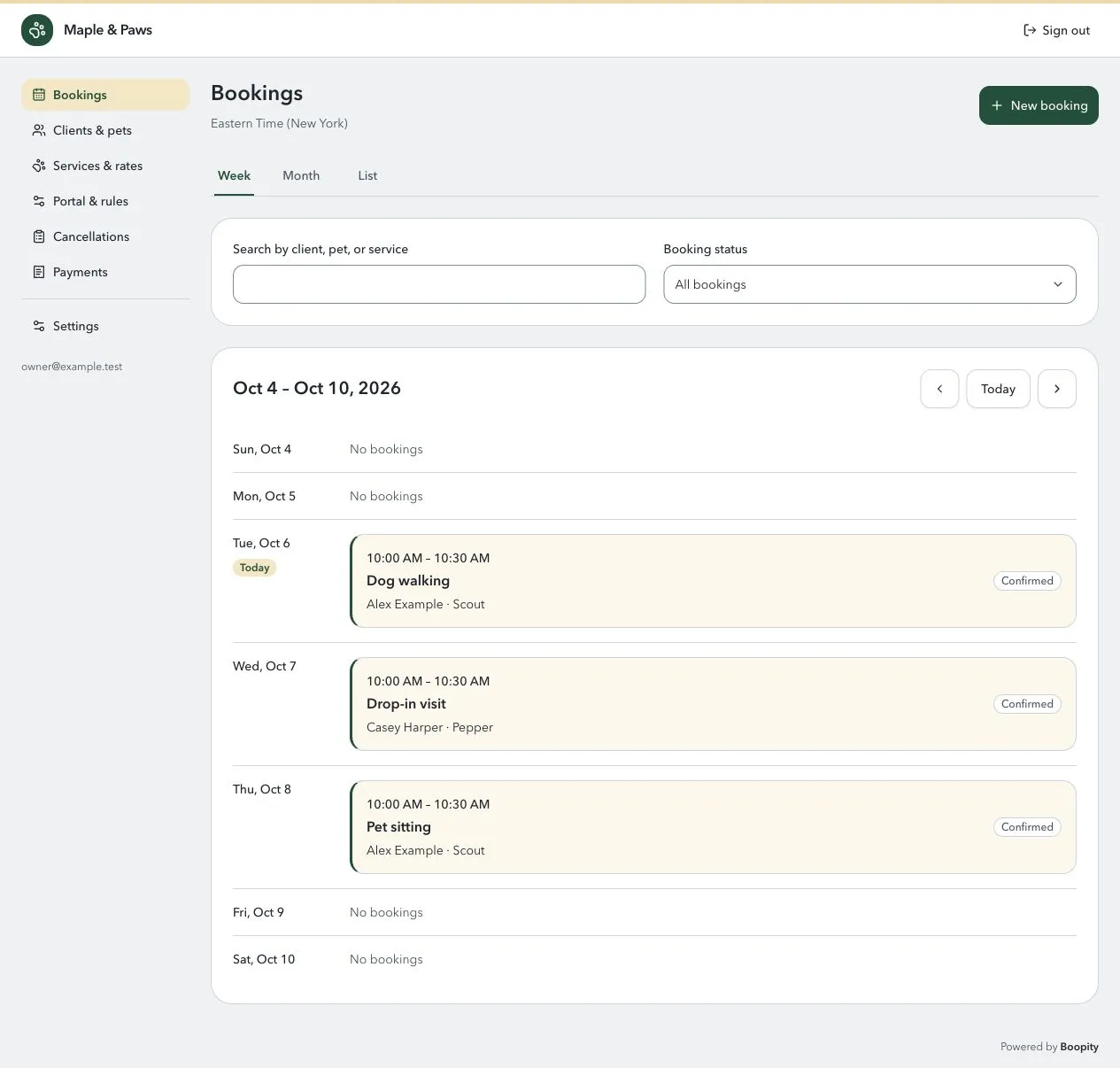
See what’s coming up.
Your schedule in week, month, or list view.
- Search by client, pet, or service across all dates.
- Open a booking for its messages, payments, and history.
- Add upcoming visits or record past, ad-hoc bookings.
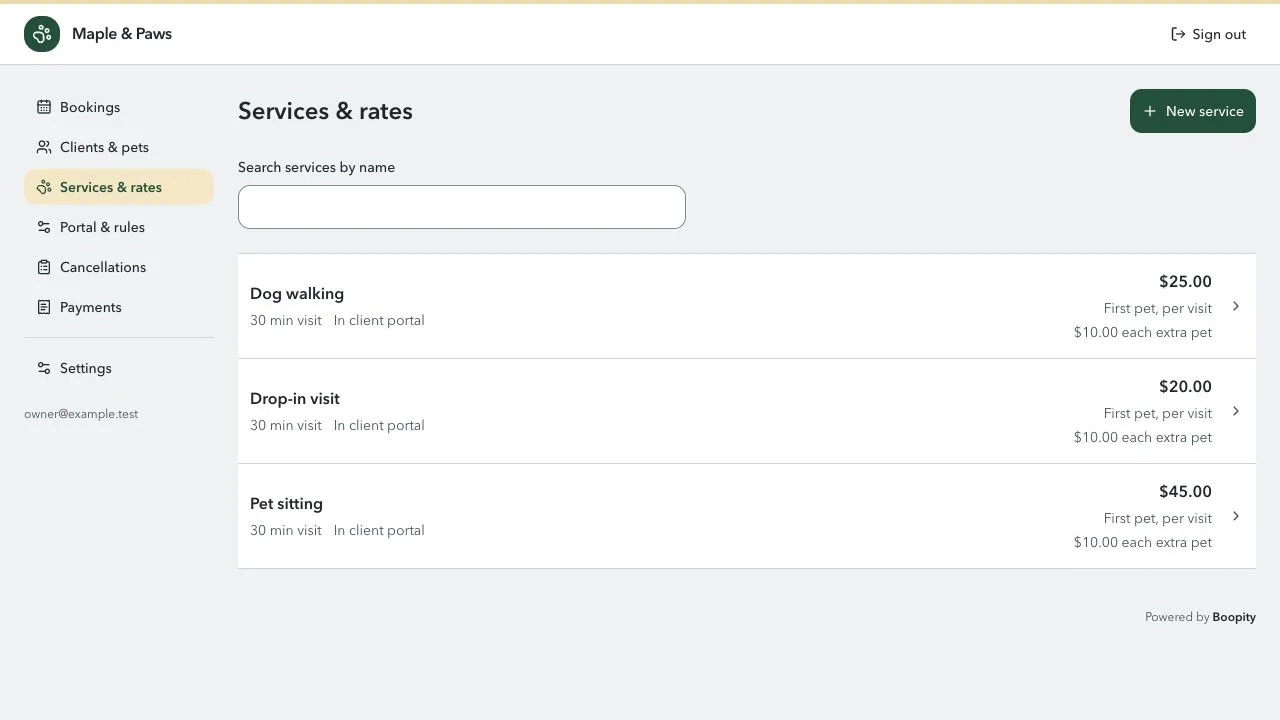
Set your services and prices.
Build a service list that fits the way you work.
- Offer timed visits or all-day care.
- Set your rates and pricing for additional pets.
- Choose which services clients can book in the portal.
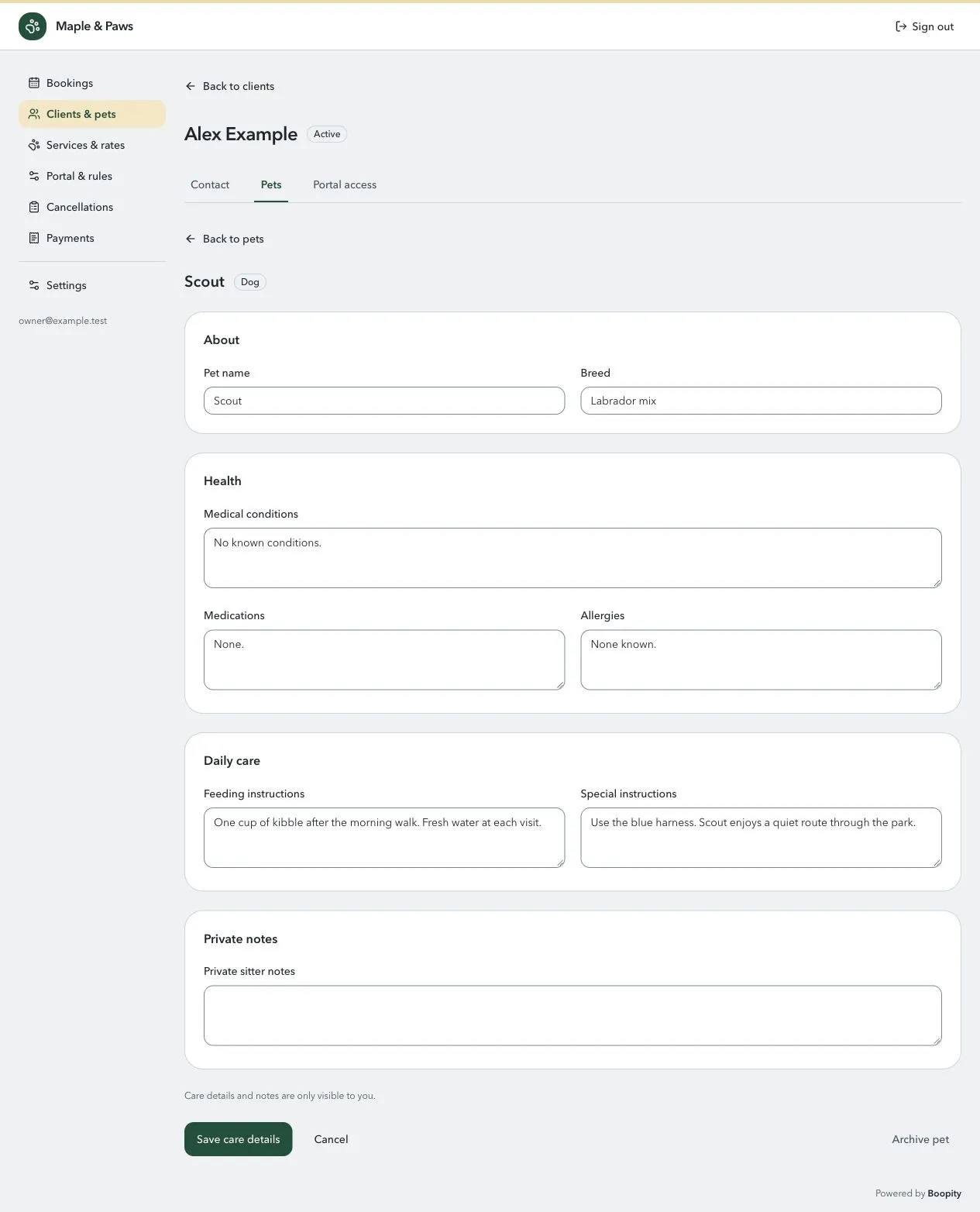
Get to know each pet.
Keep the details you need before you arrive.
- Group pets under their client’s contact and emergency details.
- Record feeding instructions, medications, allergies, and care needs.
- Keep care details and private sitter notes out of the client portal.
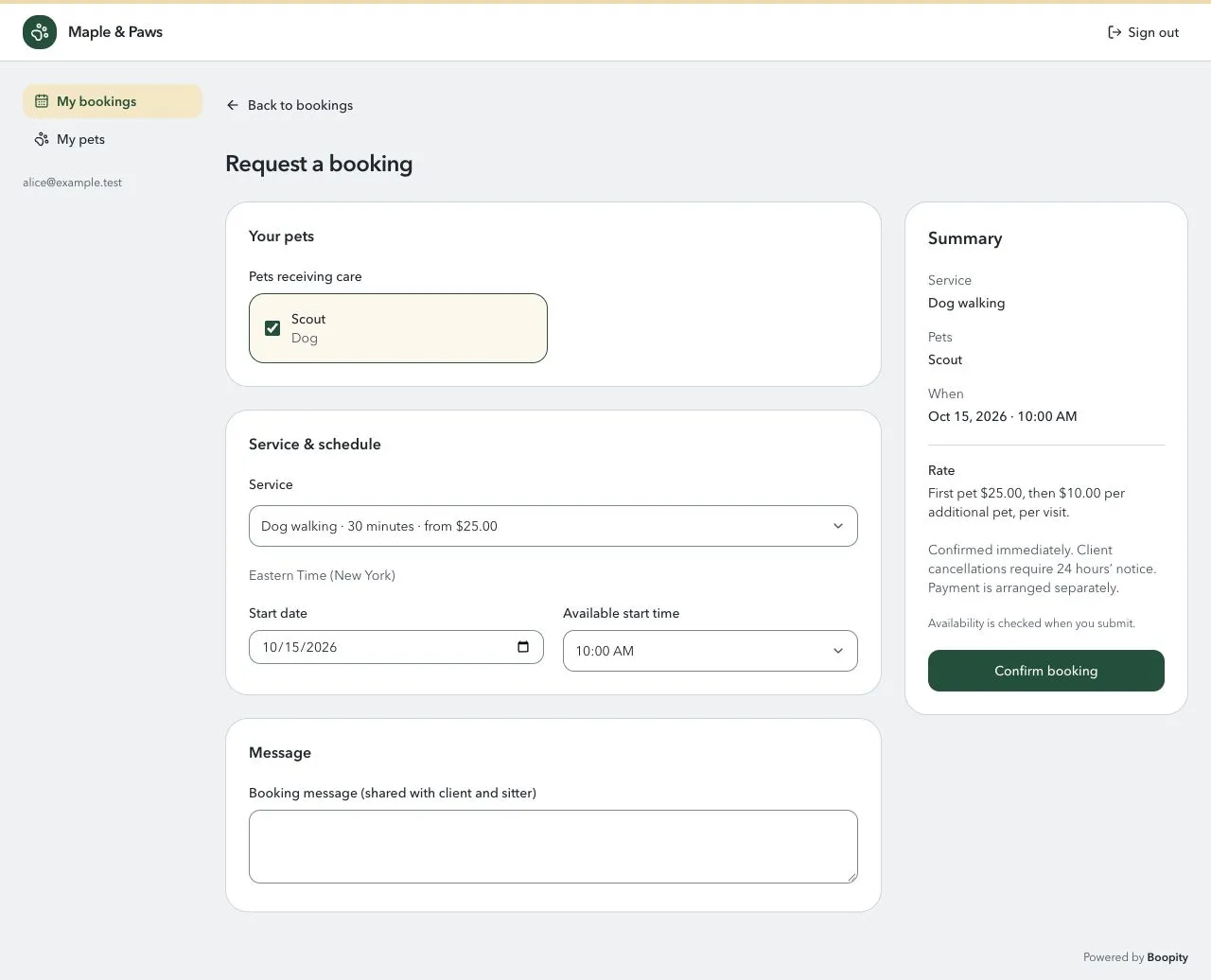
Let clients book with you.
Invite clients to their own view of your business.
- Clients choose their pets, a service, and an available time.
- They can see their bookings and cancel within your notice period.
- Only their own pets and bookings are visible to them.
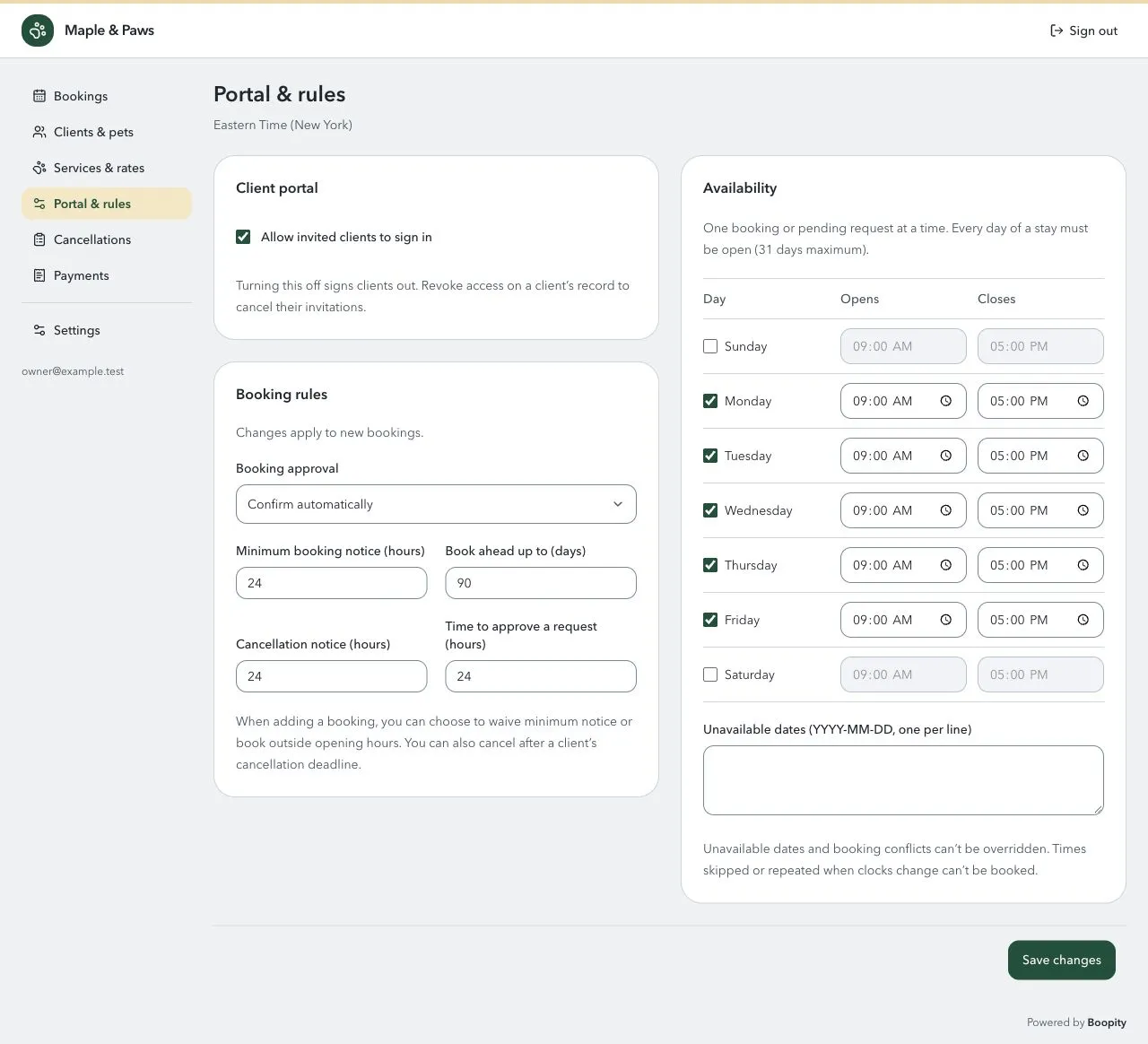
Stay in control of your schedule.
Choose when and how clients can book.
- Set opening hours, unavailable dates, and advance notice.
- Review each request or confirm bookings automatically.
- Set a cancellation deadline and review cancelled bookings for payment follow-up.
Boopity currently supports one booking or pending request at a time.
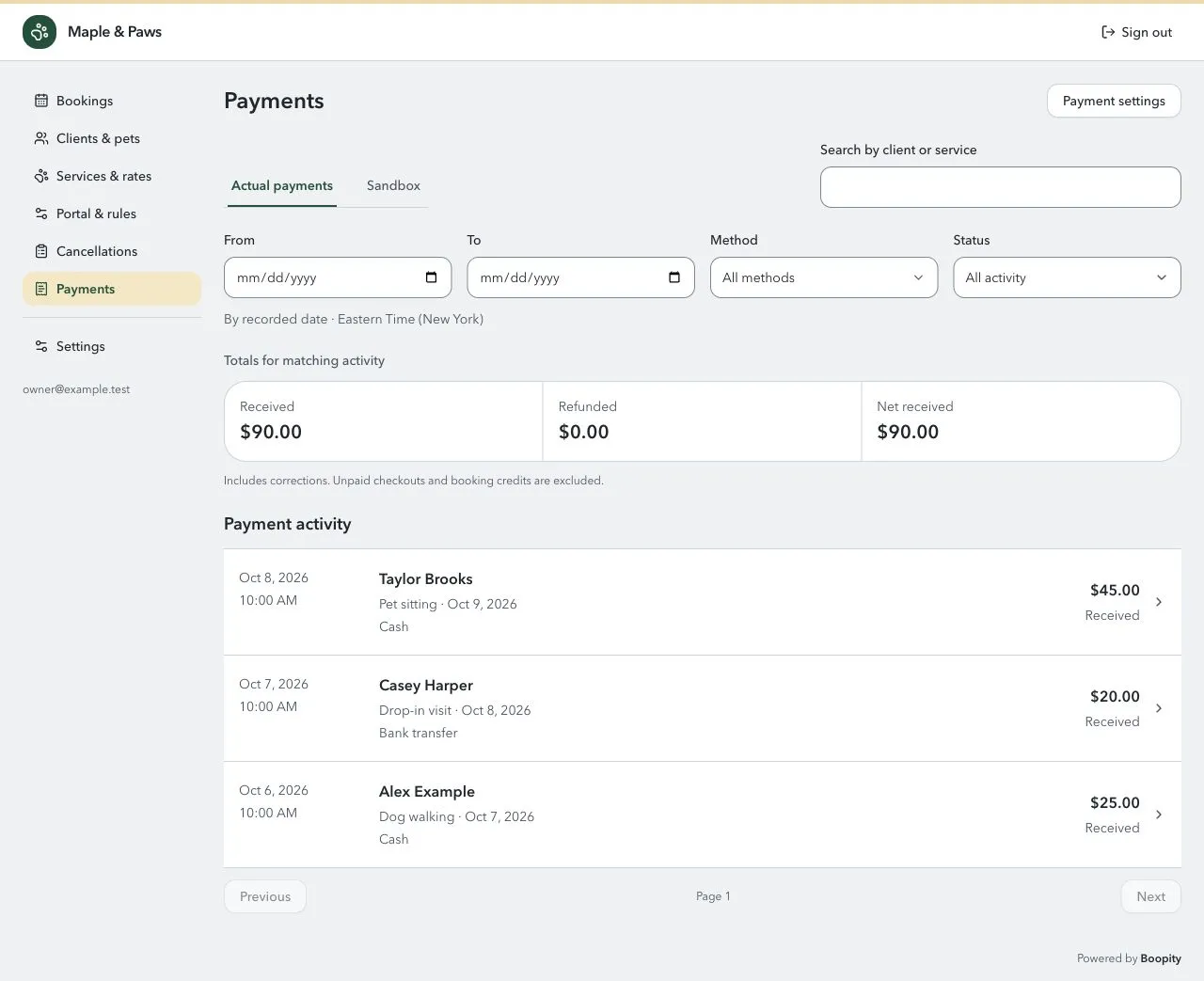
Keep track of what’s been paid.
Record payments yourself, or let clients pay online.
- Record cash, bank transfers, and other manual payment methods.
- Connect your own Stripe account for online checkout.
- See payment activity across bookings, with filters and refund records.
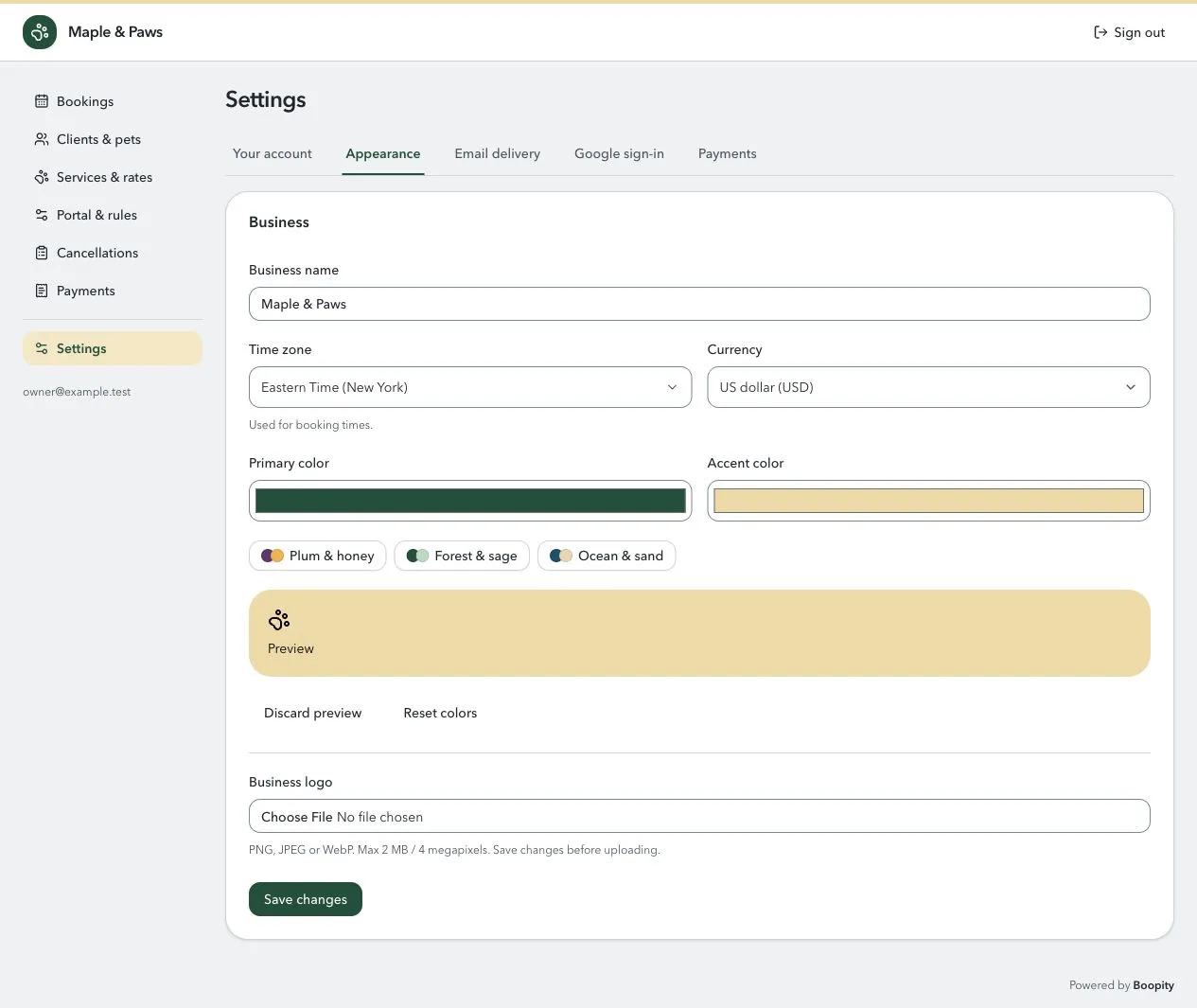
Make it feel like your business.
Your name and colors, from sign-in to the client portal.
- Add your business name and logo.
- Choose a color preset or your own primary and accent colors.
- Set your time zone and currency, and update them in Settings.
A small “Powered by Boopity” credit stays in the footer.
Start with a little guidance.
A guided setup
Add your account, connect email, and set up your business. A checklist then helps you add your first service, client, pet, and booking.
Simple sign-in
Sign in with a code sent to your email. Connect Google to offer that option too, for you and your invited clients.
Your own installation
Run Boopity with Docker or Node on your chosen host. There’s no Boopity subscription; you manage hosting, updates, and backups.